DiglotRead any page in two languages, translated on your device.
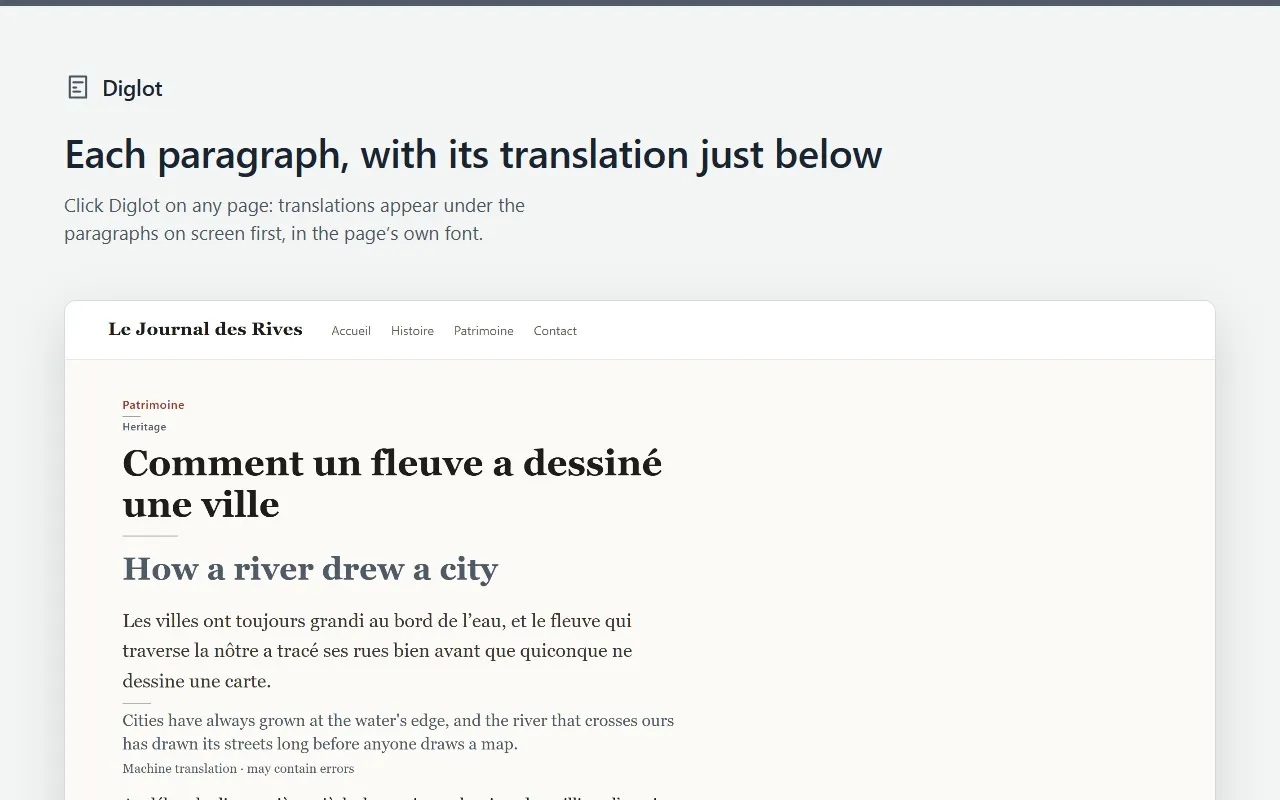
Click Diglot on an article, a documentation page or a forum thread: each paragraph gets its translation right under it, made on your computer by the translator built into Chrome. The page text is not sent to a translation server.
Coming soon to the Chrome Web Store
There is no install link yet. This page will link to the Chrome Web Store when Diglot is published.
Free to use. Pro is $15 paid once, or $2.49 a month with no commitment, taxes included. Free and Pro
What Diglot does
For language learners, people who read documentation or news in another language, and anyone who wants to check a translation against the original.
- Translates the paragraphs on your screen first, then the rest as you scroll, in the page’s own layout and font.
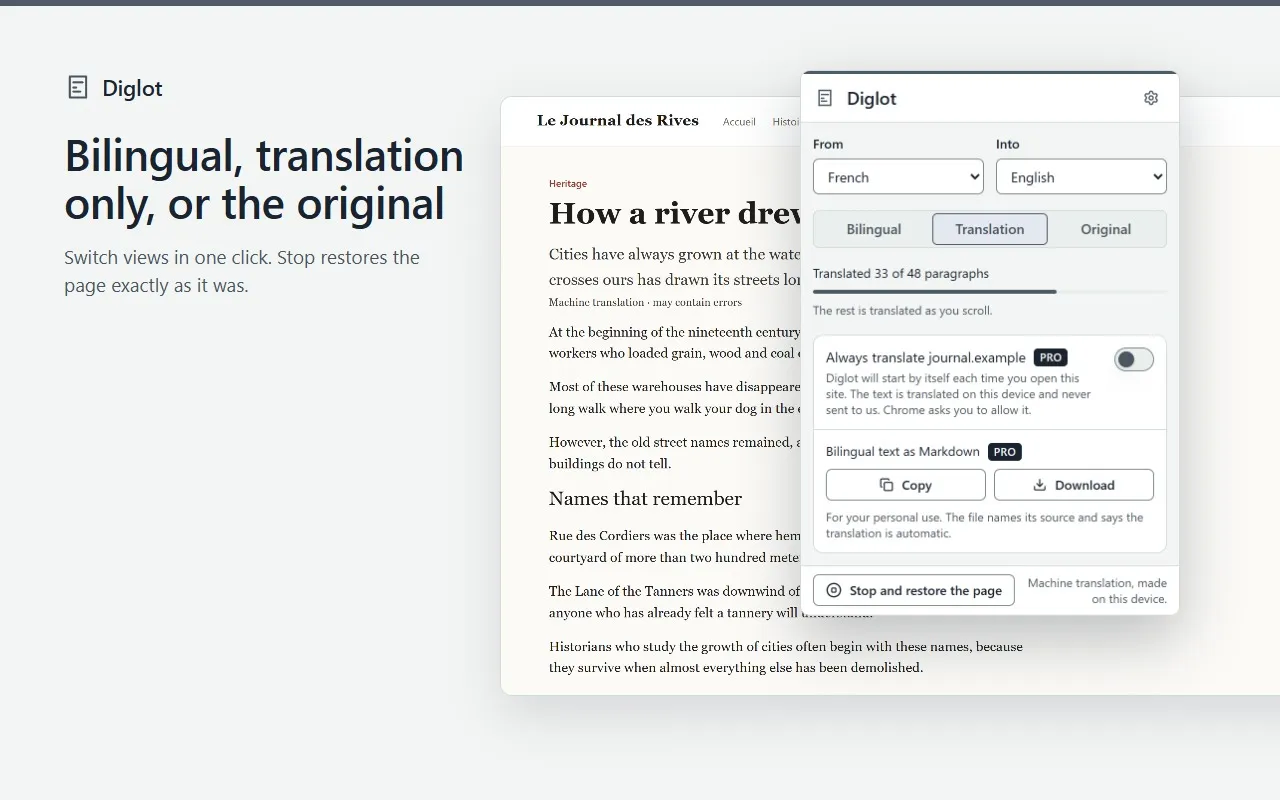
- Switches between Bilingual, Translation only and Original in one click. Stop puts the page back exactly as it was.
- Labels the translation as machine translation on the page, because idioms and some sentences come out wrong: the original always stays next to it.
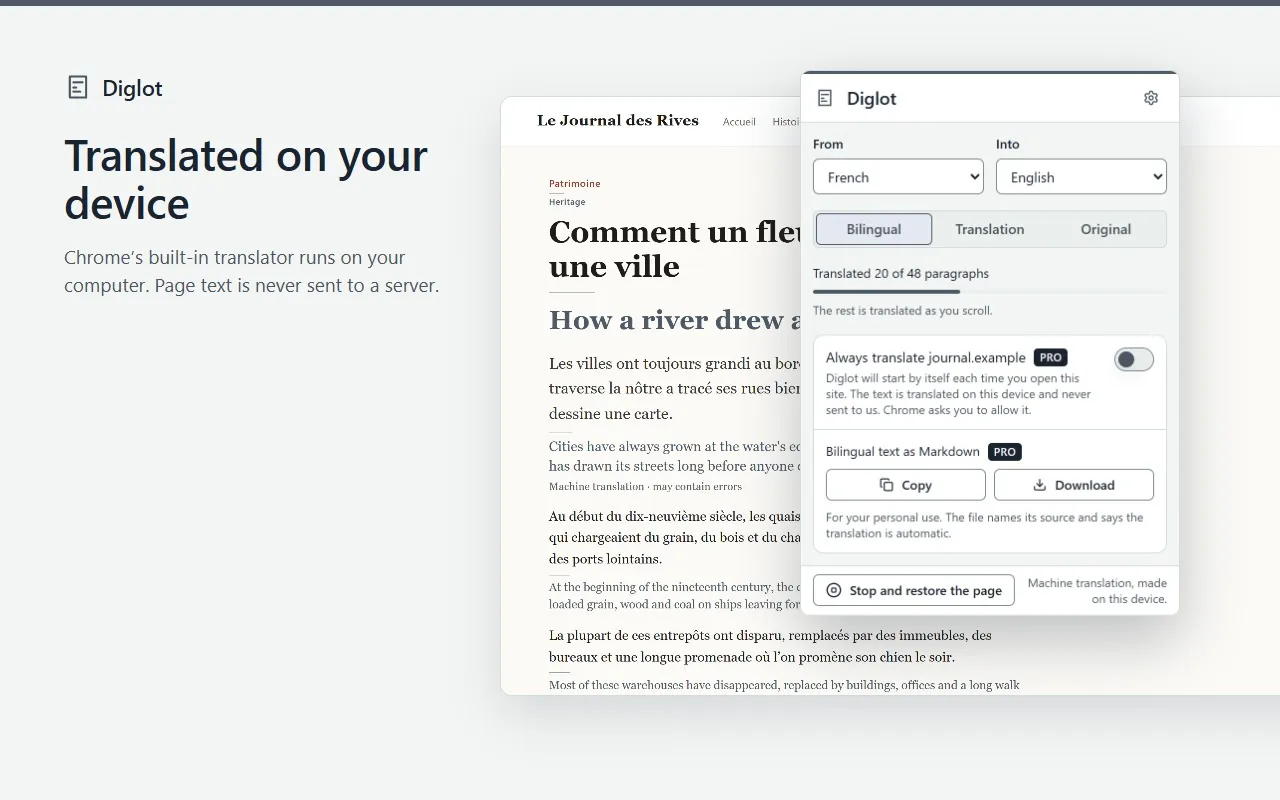
- Works offline once Chrome has downloaded the language pack of a pair (about 80 MB), the first time you read it.
- Tells you when Chrome cannot translate a pair. Diglot needs Chrome 138 or later on a desktop computer, and translates web pages, not PDF files, images or videos.
What stays on your device
- Diglot reads a page only after you click it there, or by itself on the sites you turned on with Pro.
- The text is translated by the translator built into Chrome, on your device. It is not sent to us or to a translation server, and Diglot does not store it.
- The first time you read a language pair, Chrome downloads a language pack from Google. That download carries no page text.
- Your settings and your list of always-translated sites are stored in your browser.
- With Pro, license checks send your license key and a random installation id, never page text or addresses. Pro keeps working offline for up to 30 days after the last check.
Permissions
What Diglot asks Chrome for, and why.
- At install
- None. Diglot has no access to your websites until you click it.
- activeTab
- Gives Diglot the current tab when you click its icon or press Alt+Shift+D.
- scripting
- Places the translations under the paragraphs of that tab, and on the sites you set to always translate.
- storage
- Saves your settings, your always-translated sites and your license status on this device. Never page text or translations.
- alarms
- Wakes about twice a day to re-check a Pro license when the last check is more than a day old.
- Site access, optional
- Pro only: asked for one site when you turn on “Always translate” for it. Turning it off gives the access back.
Screens
Free and Pro
| Feature | Free | Pro |
|---|---|---|
| Translate any web page, in any language pair Chrome supports, with no daily limit | Included | Included |
| Bilingual, Translation only and Original views | Included | Included |
| Choose the languages, for one page or by default | Included | Included |
| Always translate the sites you choose, without a click | Not included | Included |
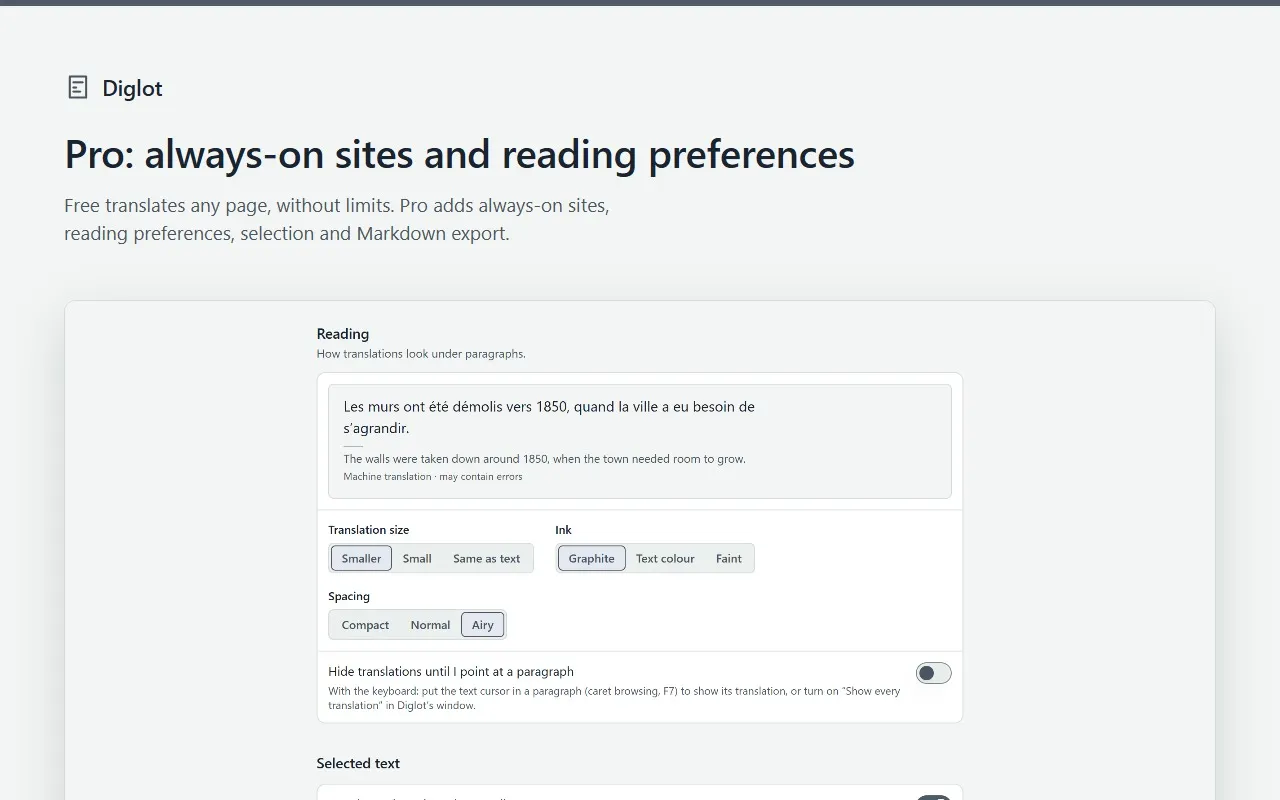
| Reading preferences: translation size, ink and spacing, or hide translations until you point at a paragraph | Not included | Included |
| Translate any text you select, in a small popover | Not included | Included |
| Copy or download the page as bilingual Markdown, for your personal use | Not included | Included |
Translations are machine translations made by Chrome and can contain errors.
Diglot Pro
- One-time purchase
- $15paid once
- Monthly
- $2.49a month
- The one-time purchase is a single payment: nothing renews. Updates are included.
- The monthly subscription renews every month until you cancel it. No commitment: cancel anytime from the customer portal, and Pro stays on until the end of the month you paid for.
- One license key covers up to 5 Chrome installations at a time, with either offer.
- Prices in US dollars, including any VAT or sales tax.