CatchwordYour snippets, one shortcut away. No account.
Type a shortcut like ;thanks in a text field and your whole reply appears, on the sites you choose. On any page, Alt+Shift+Space opens a search palette instead. Your snippets stay in Chrome, on your device.
Coming soon to the Chrome Web Store
There is no install link yet. This page will link to the Chrome Web Store when Catchword is published.
Free to use. Pro is $29 paid once, or $4.99 a month with no commitment, taxes included. Free and Pro
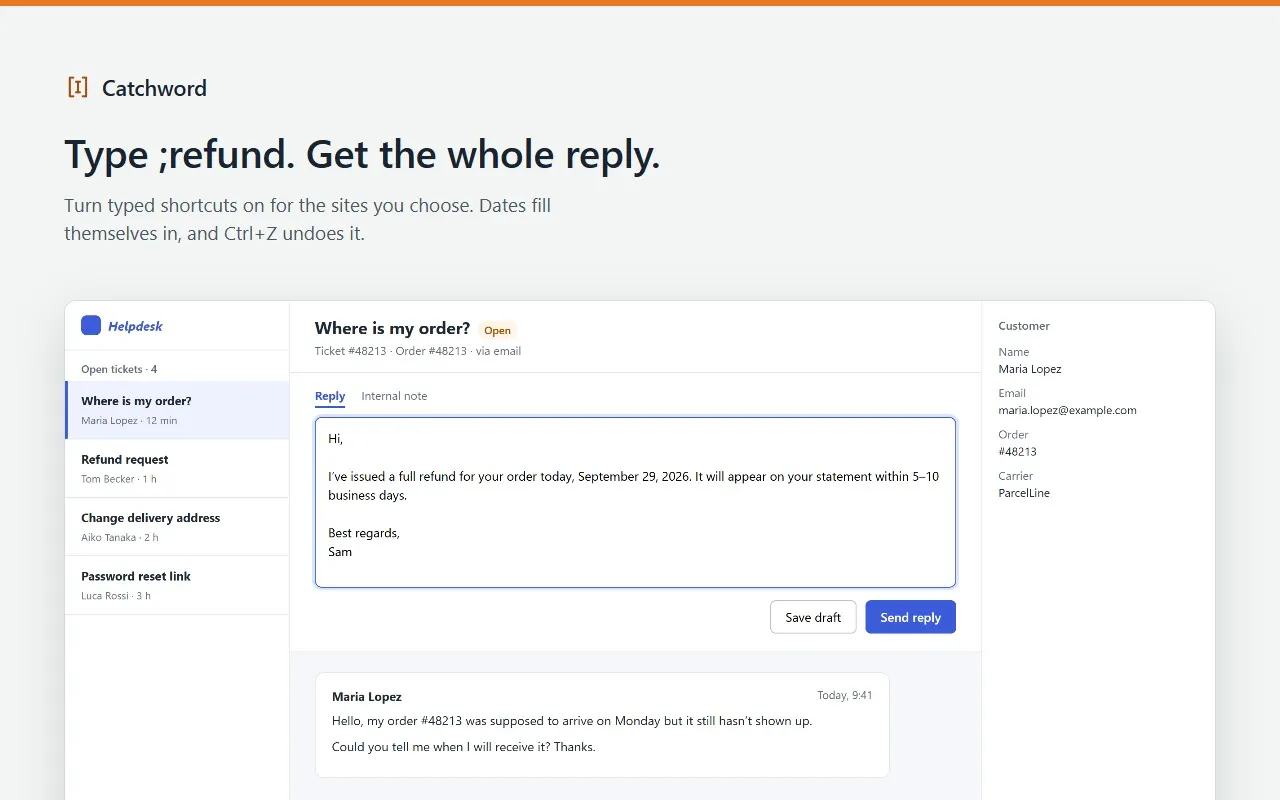
What Catchword does
For support agents, recruiters, sales teams and anyone who types the same replies every day.
- Replaces a shortcut such as ;thanks with your text as you type, on the sites you turn on, in plain text boxes and rich editors. Ctrl+Z undoes it.
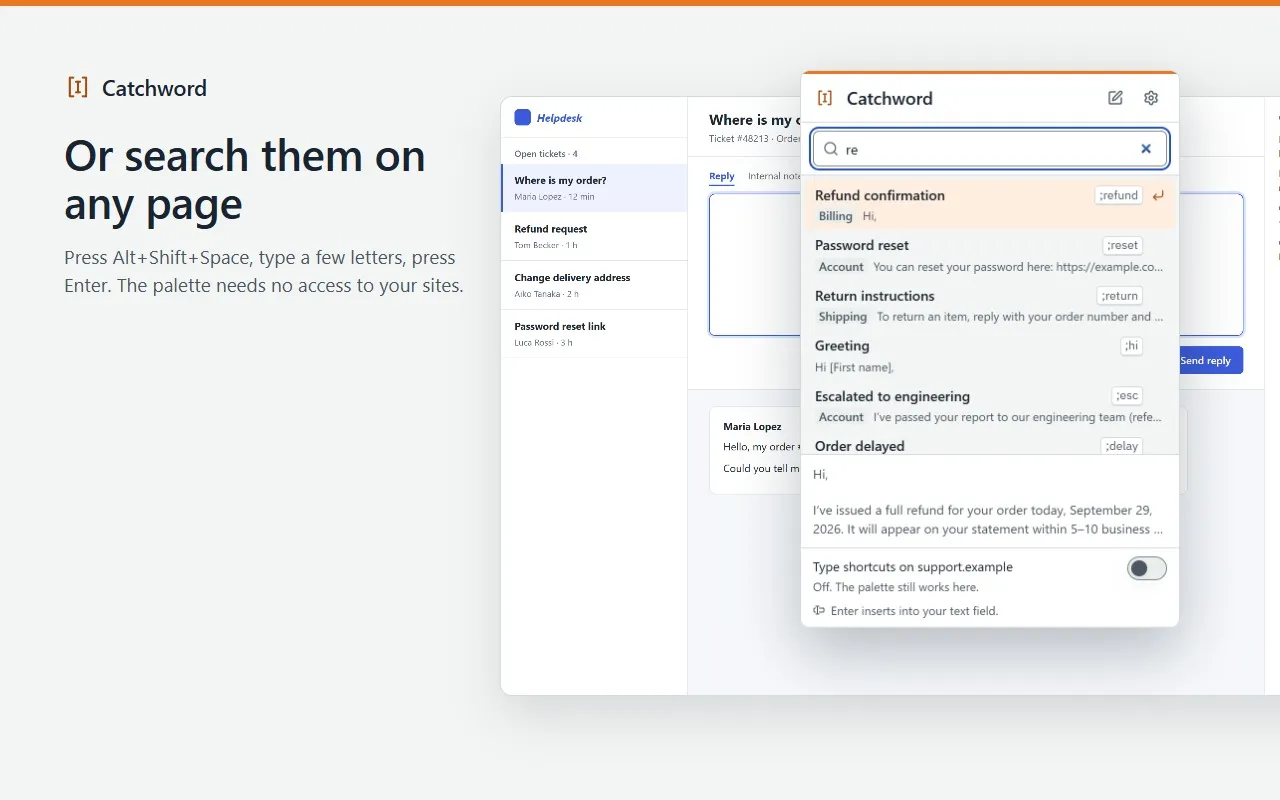
- Opens a search palette with Alt+Shift+Space or the toolbar icon on any page. The palette needs no access to your websites.
- Fills in today’s date and time in your language, places the cursor, and asks for one-line fields such as a customer’s name before inserting.
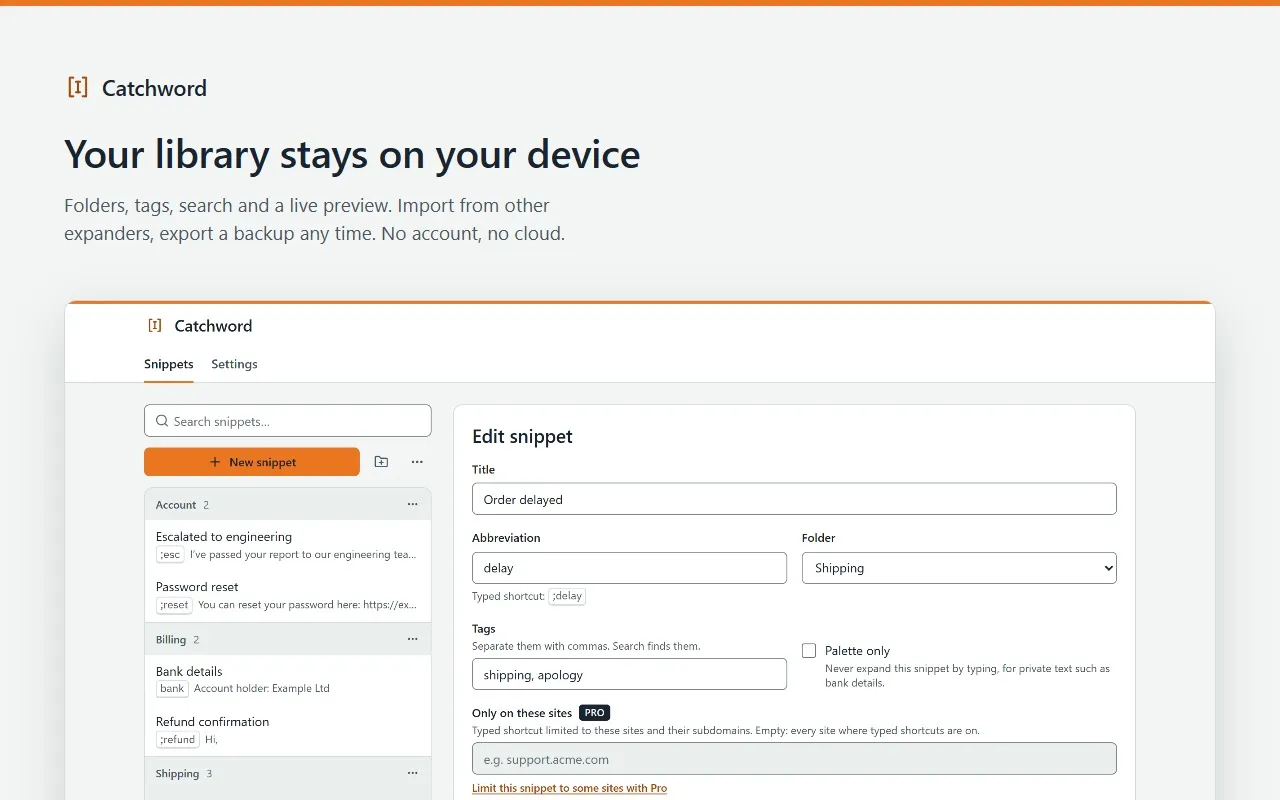
- Keeps a long list tidy with folders, tags, search and a live preview, and counts the characters it typed for you, on this device.
- Imports another text expander’s JSON or CSV export, or a pasted list, with a restore point before each import. Exports a backup at any time.
What stays on your device
- Your snippets are stored only in your browser. There is no Catchword account or server.
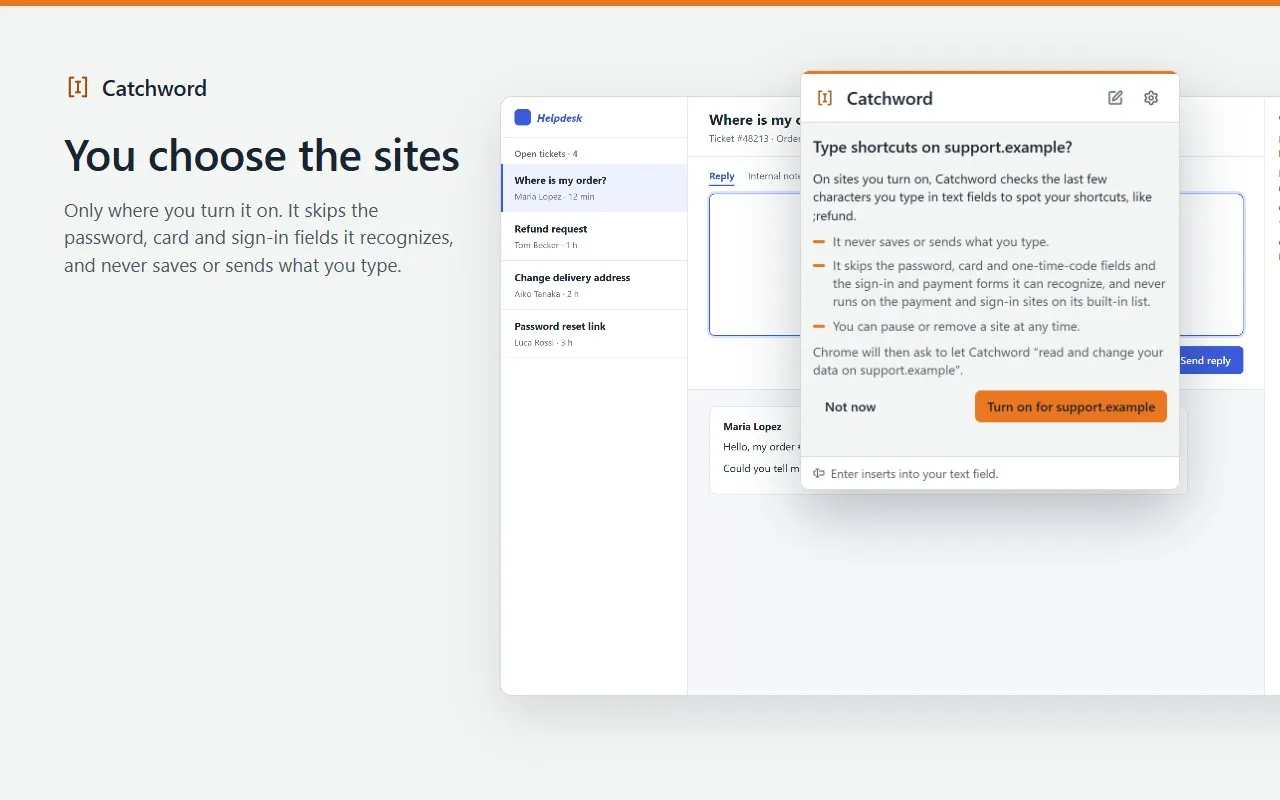
- Typed shortcuts run only on the sites you turn on, one at a time, after Catchword explains what it does and Chrome asks you for that site.
- There, it checks only the last few characters you type in text fields to spot a shortcut, and never saves or sends them. It skips password, card and one-time-code fields and the sign-in and payment forms it can recognize, and never runs on the payment and sign-in sites of its built-in list.
- Your snippets, what you type, the sites you turn on and your clipboard are never sent anywhere.
- With Pro, license checks send your license key and a random installation id, never your snippets. Pro keeps working offline for up to 30 days after the last check.
Permissions
What Catchword asks Chrome for, and why.
- At install
- None. Catchword asks for no access to your websites at install.
- activeTab
- Writes into the page you are on, only after you open the palette with the shortcut or the icon.
- scripting
- Inserts the snippet at the cursor from the palette, and runs typed shortcuts only on the sites you turned on.
- storage
- Saves your snippets, folders, sites list, activity totals and license status on this device. Nothing is synced.
- alarms
- Wakes about twice a day to re-check a Pro license when the last check is more than a day old.
- Site access, optional
- For typed shortcuts: asked for one site when you turn it on. “Everywhere” asks for all sites, only if you turn that option on. Removing a site gives the access back.
- clipboardRead, optional
- Pro only: asked the first time you insert a snippet that uses the clipboard. Never stored or sent.
Screens
Free and Pro
| Feature | Free | Pro |
|---|---|---|
| Snippets | 30 | Unlimited |
| Typed shortcuts on the sites you choose, and the search palette | Included | Included |
| Date and time variables, one-line fill-in fields | Included | Included |
| Folders, tags, search, JSON and CSV import and export, restore points | Included | Included |
| Dropdowns, paragraphs, checkboxes, dates and presets in fill-in forms | Not included | Included |
| Date math and conditions | Not included | Included |
| Site rules per snippet, folders inside folders, and the text you last copied | Not included | Included |
| Exporting one folder or tag on its own | Not included | Included |
Your snippets are never deleted or locked, with or without Pro.
Catchword Pro
- One-time purchase
- $29paid once
- Monthly
- $4.99a month
- The one-time purchase is a single payment: nothing renews. Updates are included.
- The monthly subscription renews every month until you cancel it. No commitment: cancel anytime from the customer portal, and Pro stays on until the end of the month you paid for.
- One license key covers up to 3 Chrome installations at a time, with either offer.
- Prices in US dollars, including any VAT or sales tax.