BollardBlock distractions. Keep your browsing yours.
Keep the sites that eat your attention closed during a focus session or on a schedule. Bollard acts only on the sites you add, never reads your pages and sends no browsing data.
Coming soon to the Chrome Web Store
There is no install link yet. This page will link to the Chrome Web Store when Bollard is published.
Free to use. Pro is $29 paid once, or $4.99 a month with no commitment, taxes included. Free and Pro
What Bollard does
For knowledge workers, students, freelancers and anyone who wants fewer detours during the day.
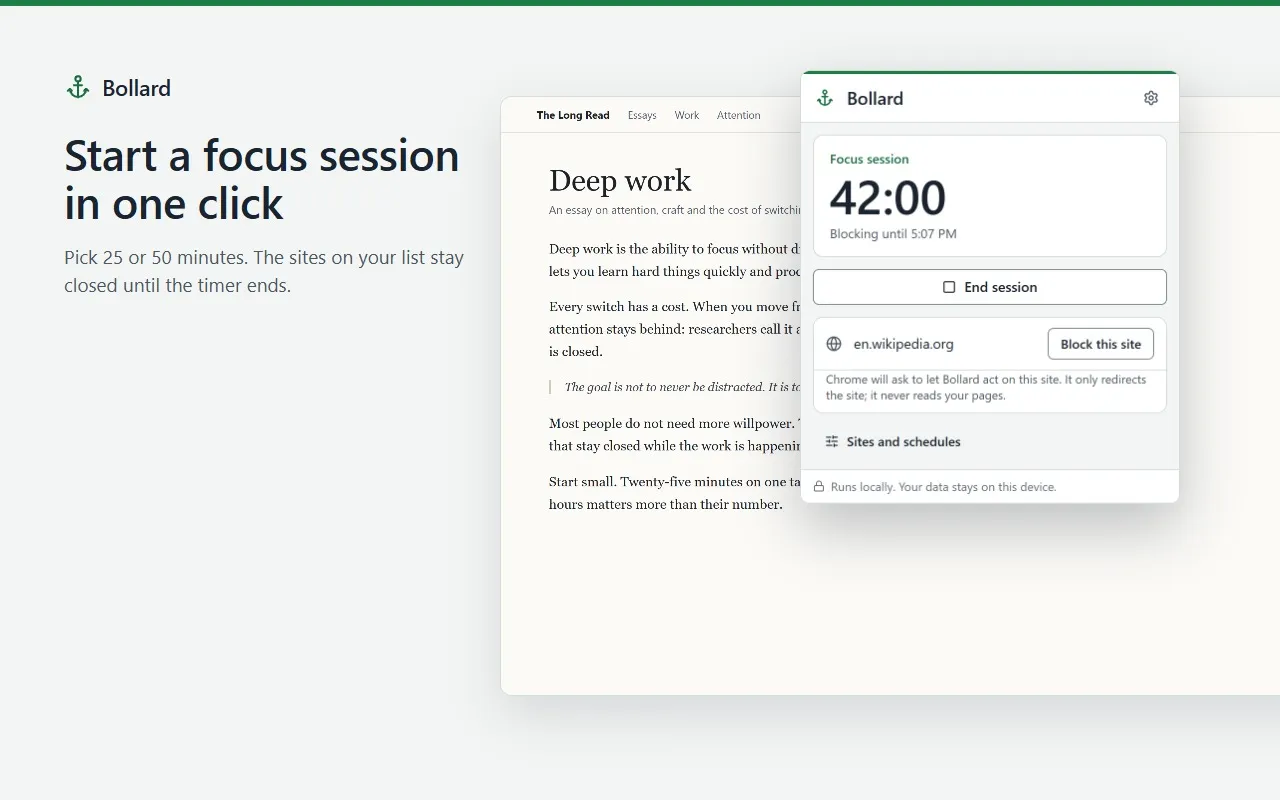
- Starts a 25- or 50-minute focus session from the toolbar, with a countdown on the icon.
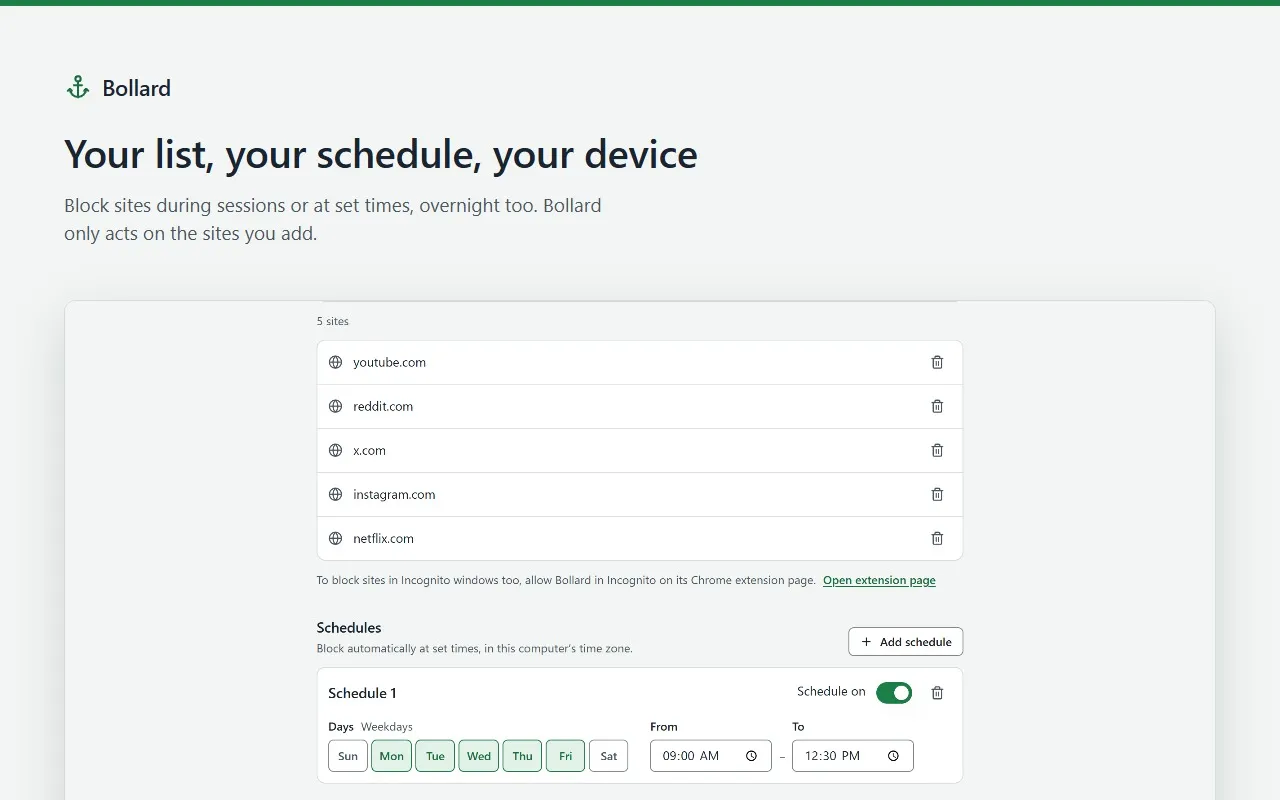
- Blocks on a schedule: chosen weekdays, evenings or overnight, in your own time zone.
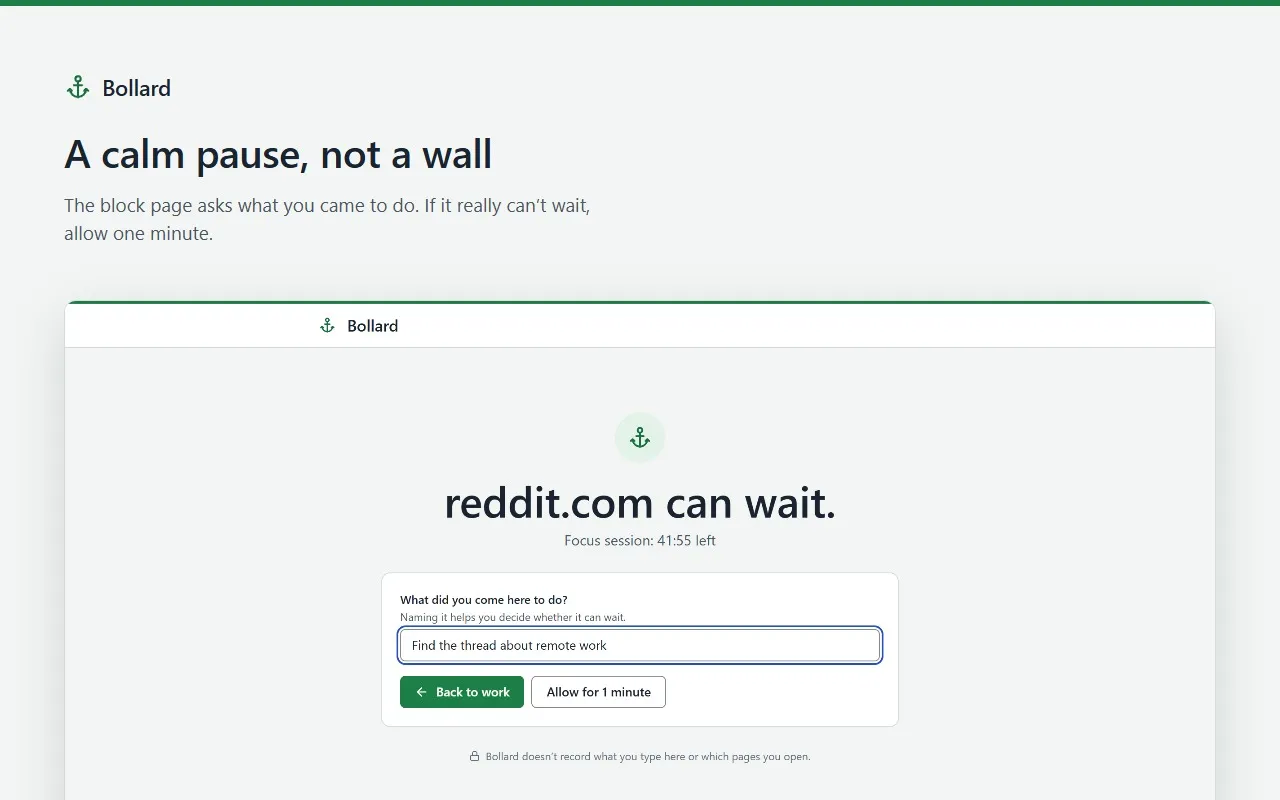
- Shows a calm block page that asks what you came to do, and lets you allow one minute if it really cannot wait.
- Switches tabs already open on a blocked site to the block page when a session starts.
- Has no limit on how many sites you block or how many sessions you start.
What stays on your device
- Your block list, schedules and settings are stored in Chrome, on this device.
- Bollard asks for access one site at a time, only for the sites you block, and uses it only to redirect them.
- Blocking uses Chrome’s built-in rules: Bollard never reads your pages and keeps no browsing history.
- What you type on the block page is checked, then discarded. It is never stored.
- With Pro, license checks send your license key and a random installation id. Never your list or the sites you visit. Pro keeps working offline for up to 30 days after the last check.
Permissions
What Bollard asks Chrome for, and why.
- At install
- None. Bollard has no access to your websites at install.
- Site access, optional
- When you block a site, Chrome asks you to let Bollard act on that site. It is used only to redirect it to the block page.
- declarativeNetRequestWithHostAccess
- Redirects visits to blocked sites with Chrome’s built-in rules, only while a session or schedule runs.
- activeTab
- Reads the current tab’s address when you open the popup, to offer “Block this site”.
- storage
- Saves your block list, schedules, settings and license status on this device.
- alarms
- Ends sessions and starts or stops schedules on time, and re-checks a Pro license.
- Access to all sites, Pro only
- Asked once, only if you turn on allow-list mode, which blocks everything except the sites you choose.
Screens
Free and Pro
| Feature | Free | Pro |
|---|---|---|
| Block list, no limit on sites | Included | Included |
| Focus sessions, no limit | Included | Included |
| Schedules | 1 | Unlimited |
| Block page that asks what you came to do, with “Allow for 1 minute” | Included | Included |
| Cooldown timer or hard lock, per site | Not included | Included |
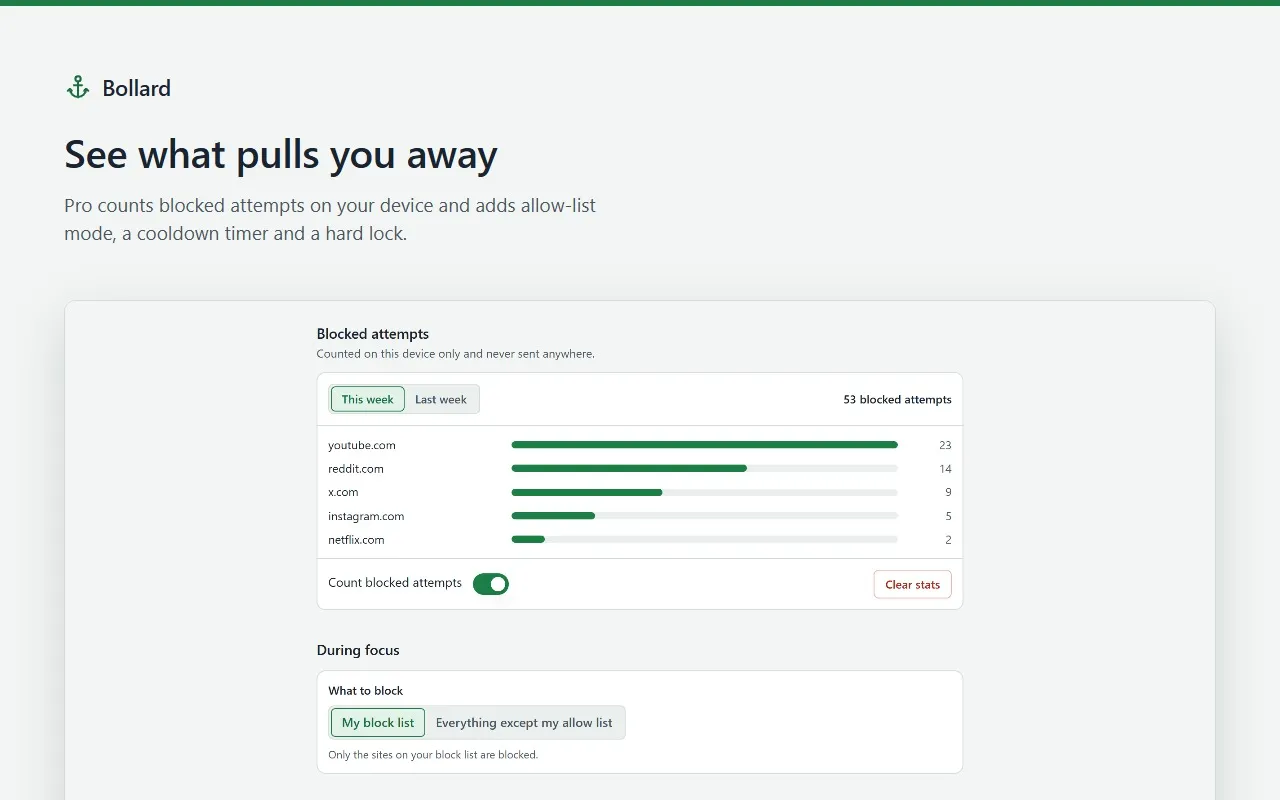
| Allow-list mode: block everything except the sites you choose | Not included | Included |
| Weekly count of blocked attempts, kept on your device | Not included | Included |
| Import and export your block list | Not included | Included |
Bollard Pro
- One-time purchase
- $29paid once
- Monthly
- $4.99a month
- The one-time purchase is a single payment: nothing renews. Updates are included.
- The monthly subscription renews every month until you cancel it. No commitment: cancel anytime from the customer portal, and Pro stays on until the end of the month you paid for.
- One license key covers up to 5 Chrome installations at a time, with either offer.
- Prices in US dollars, including any VAT or sales tax.