CartoucheHighlight the web and PDFs. Your notes stay on your device.
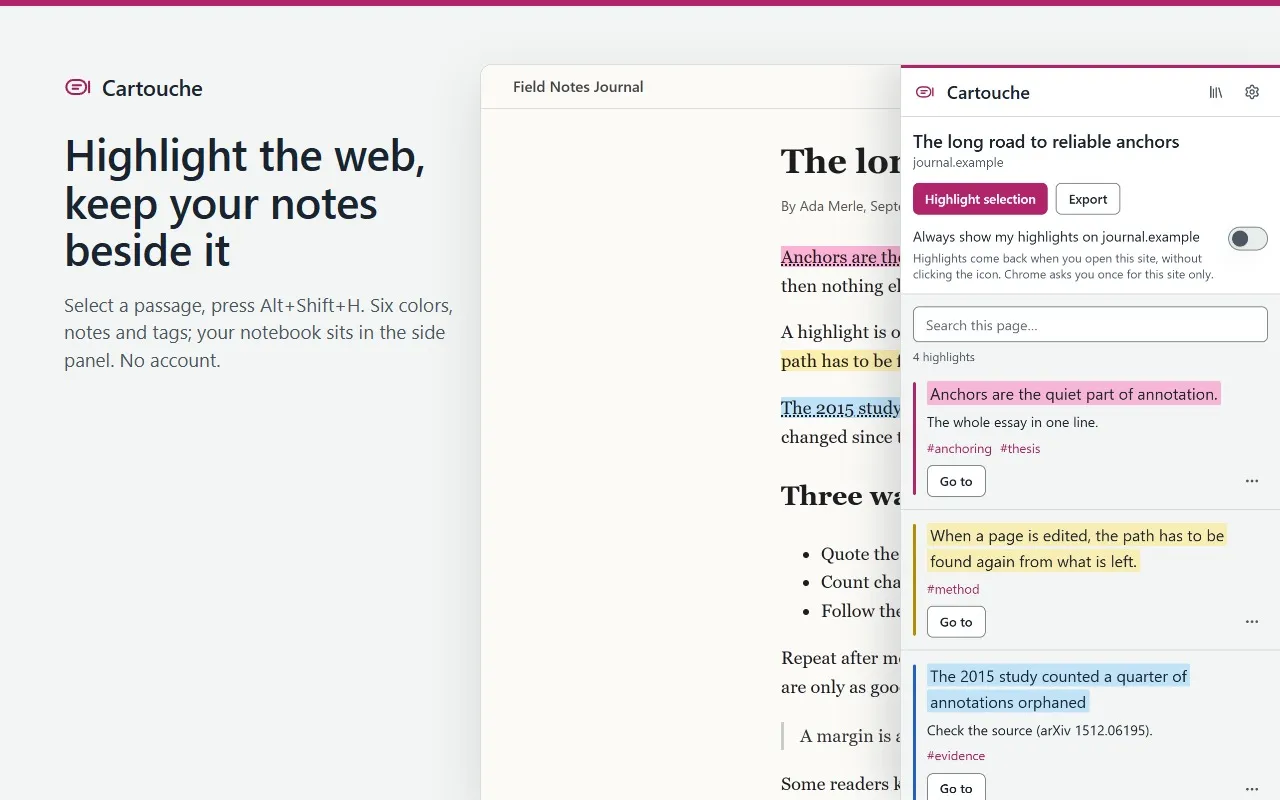
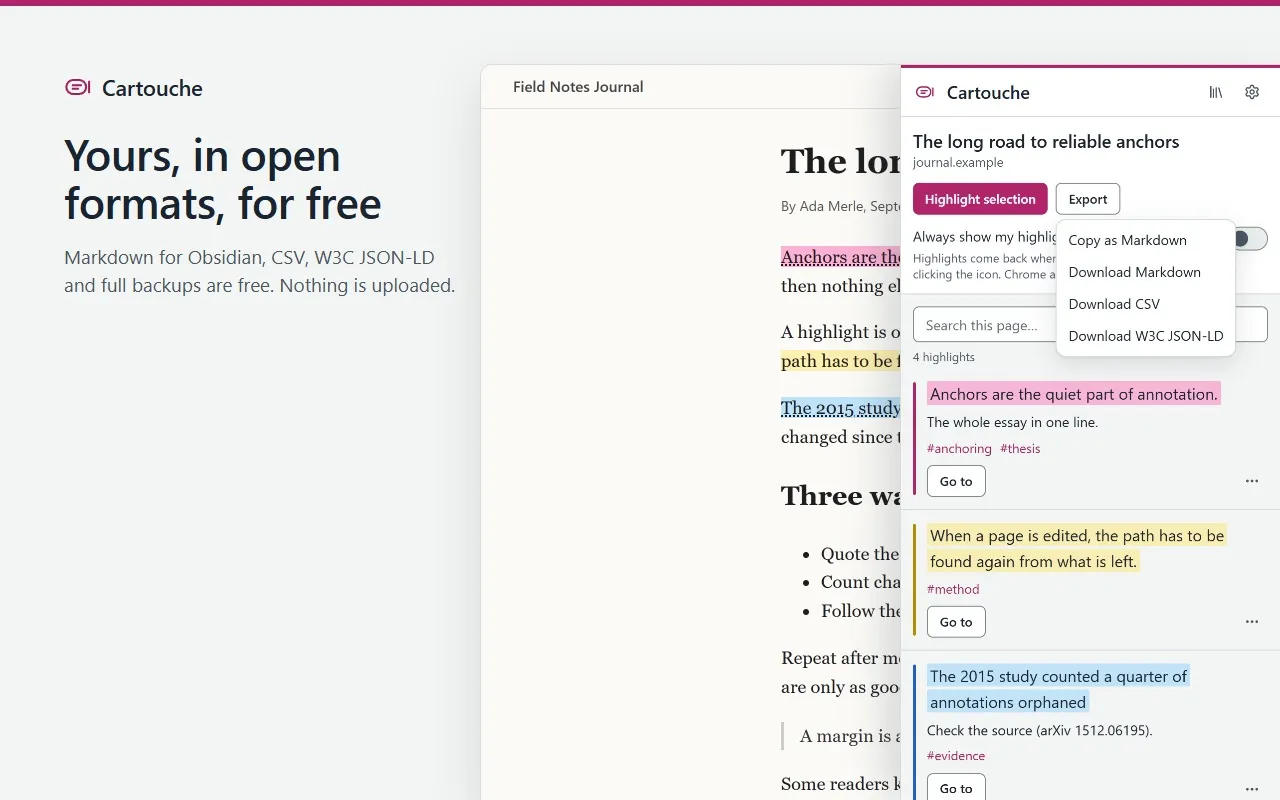
Select a passage on any web page and press Alt+Shift+H: it takes your highlighter color and gets a note and tags. Your notebook opens in the side panel, next to the page. Highlights, notes and page addresses stay in your browser and are never uploaded.
Coming soon to the Chrome Web Store
There is no install link yet. This page will link to the Chrome Web Store when Cartouche is published.
Free to use. Pro is $29 paid once, or $4.99 a month with no commitment, taxes included. Free and Pro
What Cartouche does
For researchers, students, writers and anyone who reads on the web and wants to find a passage again.
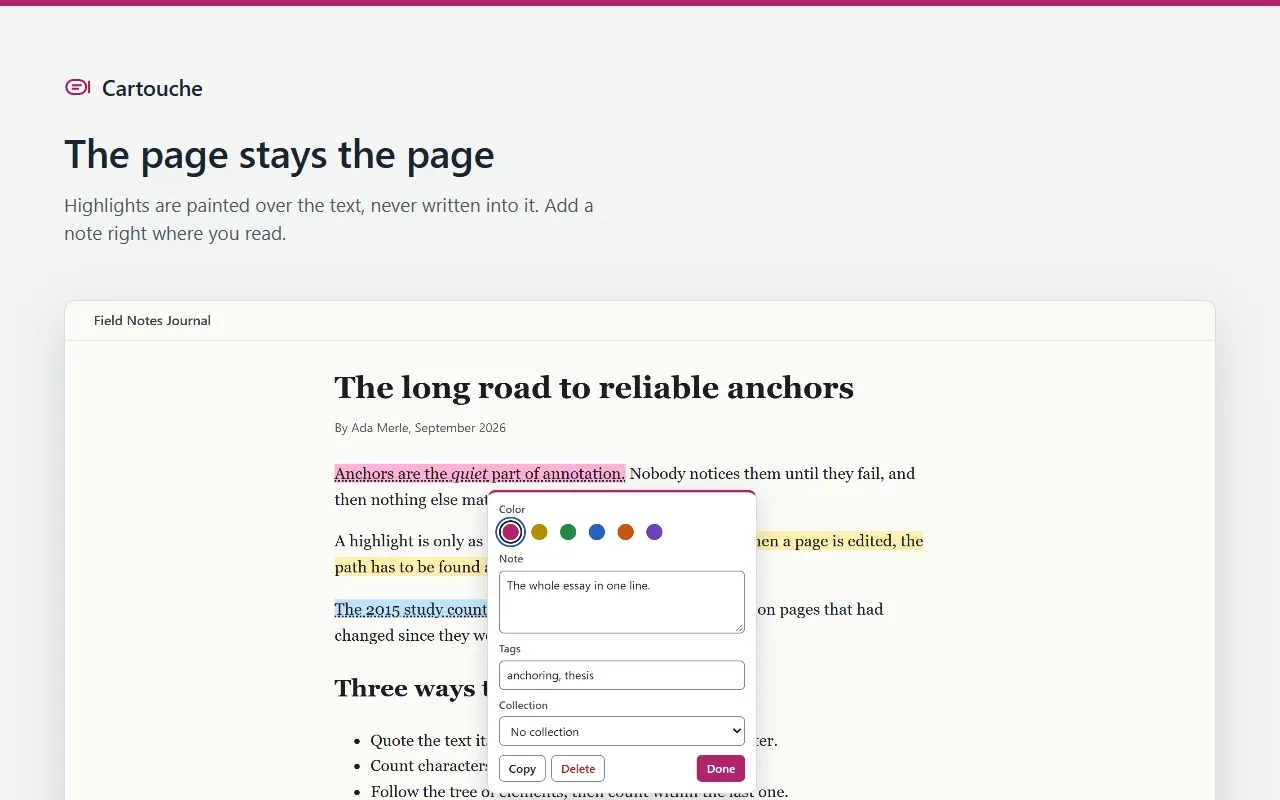
- Highlights a selection with Alt+Shift+H or the right-click menu, in six colors you can name, with a note, tags and a collection.
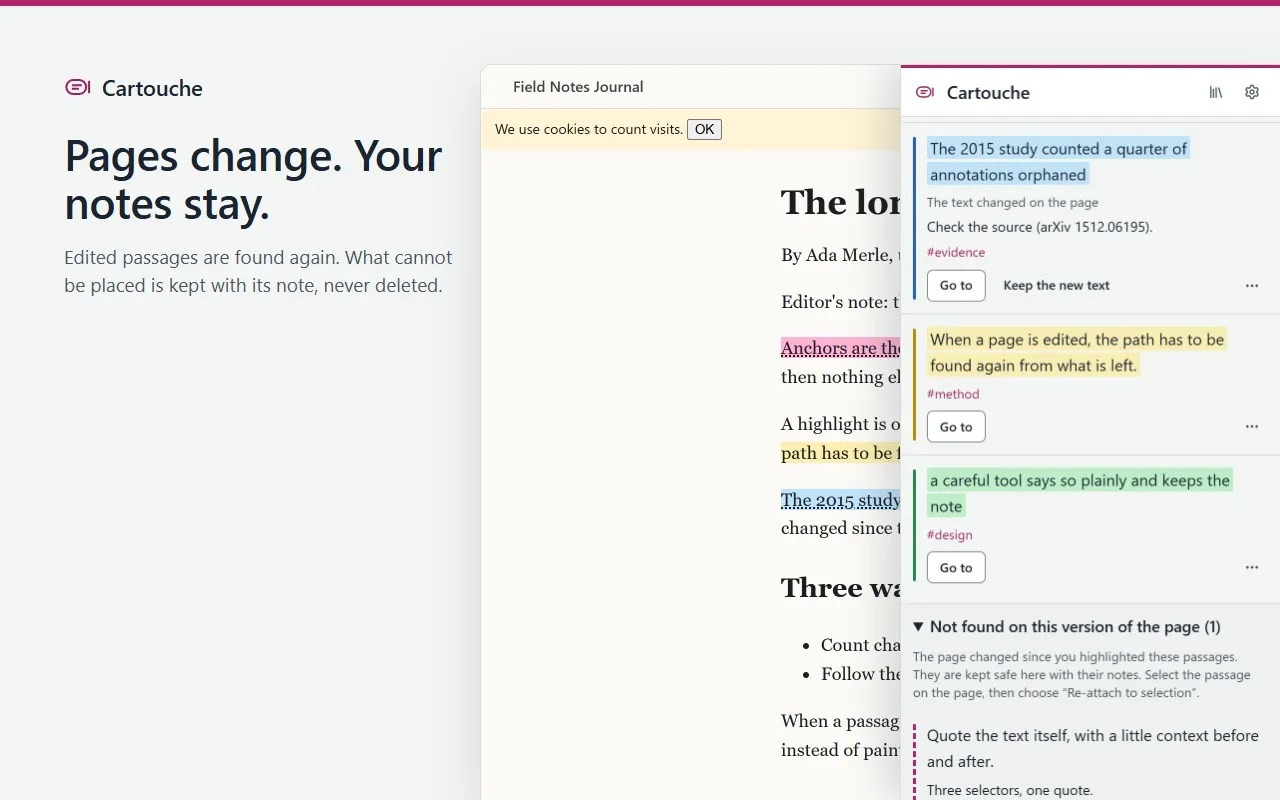
- Finds each passage again when a page changes, and never paints it on the wrong words: a passage it cannot place waits in a list with its note, ready to be re-attached.
- Paints highlights over the text without changing the page’s words or markup, so editors and web apps keep working.
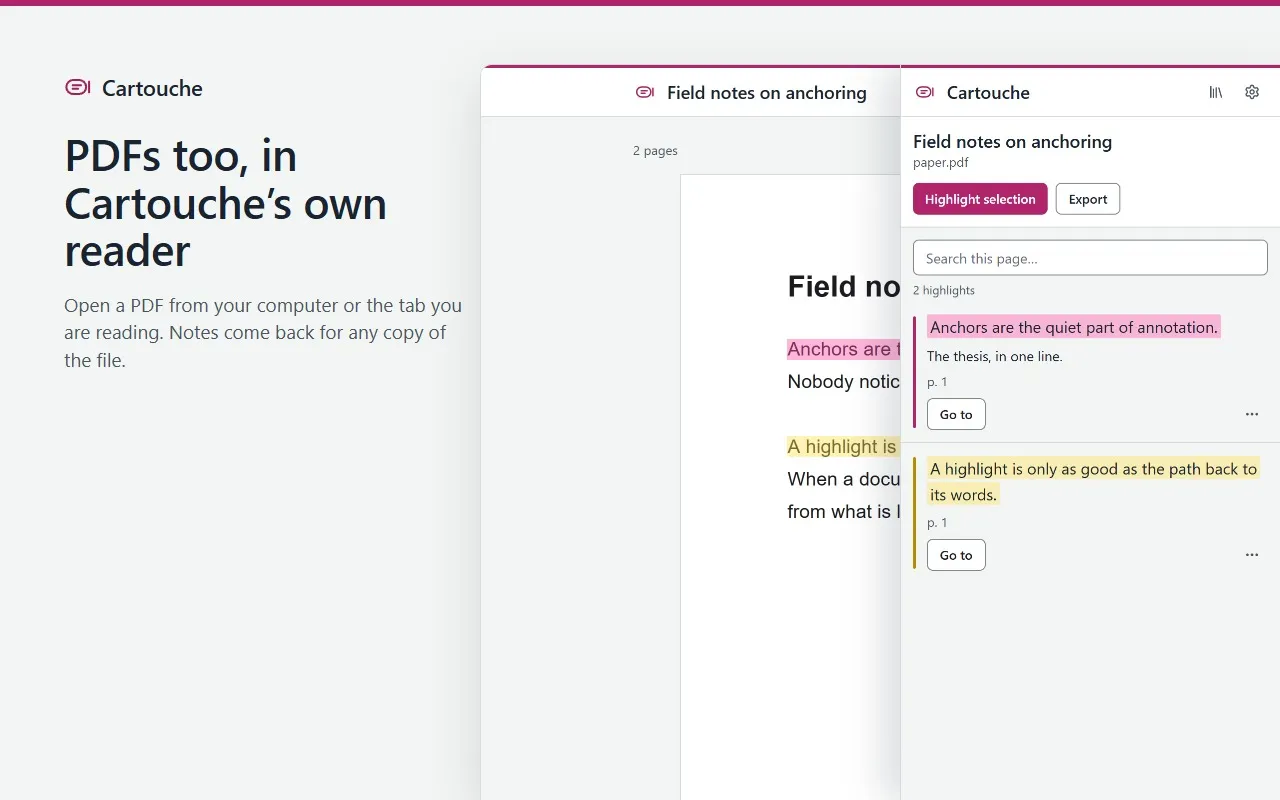
- Opens PDFs in its own reader, with page numbers. Open any copy of the file later, even renamed, and its notes come back.
- Searches all your highlights, and exports a page as Markdown or a view as CSV or W3C Web Annotation JSON-LD. Full backups are free too.
What stays on your device
- Highlights, notes, tags and page addresses are stored in your browser and never uploaded. There is no Cartouche account or cloud.
- Cartouche reads a page when you use it there. It shows your highlights by itself only on the sites you turn on: it says what it will do, then Chrome asks you for that site.
- While your highlights show on a page, that site’s own scripts could tell which of its passages are highlighted. Cartouche never writes your notes into the page.
- Page addresses are kept without the part after “?”, which can hold sign-in codes, unless you choose otherwise. PDF files are never stored or uploaded.
- Uninstalling Cartouche erases your library, so keep a backup: a weekly reminder tells you when highlights are not in one yet.
- With Pro, license checks send your license key and a random installation id, never highlights or notes. Pro keeps working offline for up to 30 days after the last check.
Permissions
What Cartouche asks Chrome for, and why.
- At install
- None. Cartouche has no access to your websites until you use it on a page.
- activeTab
- Highlights on the page you are on, and shows its highlights, after you click the icon, press Alt+Shift+H or Alt+Shift+M, or choose “Highlight with Cartouche” in the right-click menu.
- scripting
- Runs Cartouche’s page script in that tab to paint your highlights and open the note box, and registers it only for the sites you turned on.
- sidePanel
- Shows your notebook next to the page.
- contextMenus
- Adds “Highlight with Cartouche” and “Highlight and add a note” to the right-click menu on selected text.
- storage
- Saves your settings, the sites you turned on, the backup reminder and your license status on this device.
- unlimitedStorage
- Keeps Chrome from deleting a large library of highlights when disk space runs low. Nothing is uploaded.
- alarms
- Wakes about twice a day to check whether the weekly backup reminder is due, and to re-check a Pro license when the last check is more than a day old.
- Site access, optional
- Only if you turn on “Always show my highlights” on a site (that site only) or “Show my highlights on every site” in Settings, or open a web PDF in the reader (that one site, to download the PDF again). Removable in Settings.
Screens
Free and Pro
| Feature | Free | Pro |
|---|---|---|
| Highlights, notes and tags, with no limit | Included | Included |
| Side-panel notebook, full-text search and the PDF reader | Included | Included |
| Markdown, CSV and W3C JSON-LD exports; full backup and restore | Included | Included |
| Collections | 3 | Unlimited |
| Search operators: filter by tag, site, color, date or note | Not included | Included |
| One-click Obsidian vault ZIP and your own export templates | Not included | Included |
| Custom highlight colors | Not included | Included |
Everything you create stays usable and exportable without Pro.
Cartouche Pro
- One-time purchase
- $29paid once
- Monthly
- $4.99a month
- The one-time purchase is a single payment: nothing renews. Updates are included.
- The monthly subscription renews every month until you cancel it. No commitment: cancel anytime from the customer portal, and Pro stays on until the end of the month you paid for.
- One license key covers up to 5 Chrome installations at a time, with either offer.
- Prices in US dollars, including any VAT or sales tax.